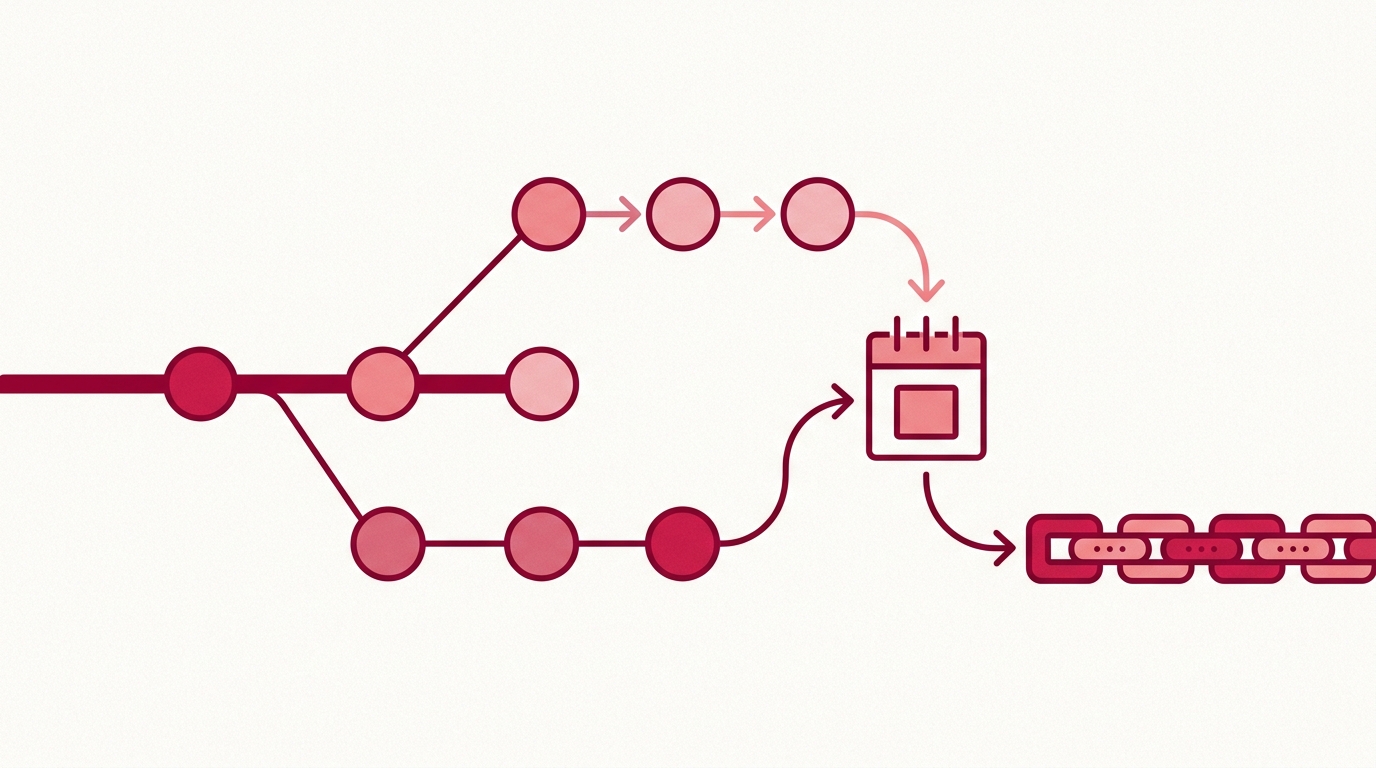
Automated Git Timestamping: How a GitHub App Anchors Every Commit
You push a commit that matters — the core of a feature you’ll be asked to prove you built first. Under the manual approach, that’s the moment your flow breaks. You stop, switch context, and start a small ritual of local tooling and proof handling to pin the commit to a point in time. Then you do it again on the next commit, and the next, until the day you forget.
That’s the manual timestamping trap. Prior-art records are only as strong as their density and their regularity, and human-process records are neither. Developers skip the step during a crunch, misconfigure it on a new machine, or never set it up on the repository that turns out to matter. Gaps in the chain are exactly what an opposing counsel or an auditor looks for.
This article is about removing the human from that loop entirely with automated Git timestamping via a GitHub App. One install, and every commit to a monitored repository is fingerprinted and anchored into Bitcoin nightly — by a machine, on a schedule, without anyone typing a command.
This is an automation walkthrough, not a cryptography deep dive. For the why, see Protecting Intellectual Property: A Guide for Software Developers and Prior Art Protection for Software Startups: A Guide. For the mechanics of checking a proof later, see Verify Code Timestamps Without Sharing Your Source Code.
(For context: the raw approach is running OpenTimestamps tooling by hand, per commit, and managing your own calendar submissions. It’s the hard way. Everything below is the automated path.)
One-Time Setup: Install the GitHub App and Forget It
Timestamp GIT is a managed SaaS built around a GitHub App. You install it once against a repository or an entire organization, and the automation takes over.
There are two deployment modes, and you pick based on how much access you’re willing to grant:
Standard Mode (GitHub App). The GitHub App reads only the HEAD commit hash of your monitored repository — automatically, on every push. Proofs are written into a dedicated branch of the same repo or into a separate shadow repository. Because GitHub’s permission model doesn’t offer a “commit hash only” scope, this mode requires Read-only access to the source repo and Read-write access to the target repo where proofs land.
Enterprise ZK Mode (GitHub Action). The collection step moves into your own CI. A 12-line GitHub Action runs on your runners, extracts the HEAD hash, and pushes only that hash to the Timestamp GIT API. The trade-off is explicit: you keep read access to yourself, and Timestamp GIT needs Read-write access only to the target repo. No source code and no repository read access ever cross the boundary.
Two things worth noting about the setup:
- Nothing gets installed on developer machines. No CLI, no local daemon, no per-laptop configuration drift. The app runs on GitHub’s infrastructure and our backend; the Action runs on GitHub-hosted or self-hosted runners.
- There is no ongoing configuration. After installation, the app detects new commits through webhooks. Nobody has to remember anything.
You can review and manage which repositories are monitored from your repositories page after installation.
The Automated Pipeline: From Commit to Bitcoin Anchor
Once the app is installed, here’s what actually happens between git push and an immutable proof file appearing in your repo.
1. Commit detection and batching
A webhook fires on new commits. The app — or your Action, in Enterprise ZK Mode — extracts the commit hash and drops it into an in-memory key-value store. That store is a queue, not a ledger; it exists purely to accumulate hashes until the nightly batch runs.
Only the hash moves. Never the diff, never the file contents, never the branch history.
2. The midnight cron worker
Each night, a worker picks up every pending hash and:
- Groups them by repository and writes a manifest file (
.txt) per repo. - Builds a Merkle tree natively over the batch.
- Creates OpenTimestamps proofs using public calendar servers.
- Anchors the Merkle root into the Bitcoin blockchain.
That last step is the one that makes the record immutable. Once the root is confirmed in a Bitcoin block, no entity — including Timestamp GIT — can alter or forge it after the fact.
3. Proof delivery
After anchoring, the manifest and the corresponding .ots receipt files are pushed back into your repository, either in a dedicated timestamps branch or in a shadow repository.
Budget a few hours for this. Bitcoin confirmation typically takes around 3 hours, so proofs generally land a few hours after the nightly run rather than immediately.
Enterprise ZK Mode: the only mode with a workflow file
This is the one place you’ll ever look at YAML. The setup wizard generates the workflow with your endpoint and secret pre-filled; it looks approximately like this:
name: Timestamp commit hash
on: [push]
jobs:
  anchor:
    runs-on: ubuntu-latest
    steps:
      - uses: actions/checkout@v4
        with:
          fetch-depth: 1
      - name: Send HEAD hash to Timestamp GIT
        env:
          TSG_ENDPOINT: ${{ secrets.TIMESTAMPGIT_ENDPOINT }}
        run: curl -fsS -X POST "$TSG_ENDPOINT" --data "$(git rev-parse HEAD)"
That’s the whole integration. There’s a dedicated walkthrough in GitHub Action for Commit Timestamping: Setup Guide if you want to go deeper on this mode.
Custom pipelines: the ZK Commit API
If you need to fold timestamping into something other than the standard flow, the ZK Commit API accepts commit hashes directly. It’s authenticated with HMAC — the hash value from the signed URL must accompany the request — so a leaked URL alone isn’t enough to write into your ledger.
For read-only automation, the public status endpoints are simpler:
# Last anchored Bitcoin block for a repo
curl -s https://timestampgit.dev/api/statusLast/your-org/your-repo

# Total stamped commit count
curl -s https://timestampgit.dev/api/statusCount/your-org/your-repo

# Combined summary (what the Shields.io badge consumes)
curl -s https://timestampgit.dev/api/statusSummary/your-org/your-repo
Monitoring and Failure Handling
Automation you can’t audit isn’t automation you can trust in a dispute. Timestamp GIT exposes the state of your proof chain in three places.
The public status dashboard
/status/{user}/{repo} shows proof longevity, the earliest anchor date, daily regularity, and the Bitcoin block and transaction data behind each anchor. There’s a calendar heatmap so gaps are visually obvious, plus downloadable audit CSV and PDF certificate exports.
Regularity is the metric to watch. A heatmap with holes in it is a weaker prior-art story than a solid one.
Verification badges
You can embed Shields.io badges in your README to display verification status publicly. The widget at /connected/{user}/{repo} gives you a live preview and the markdown snippet, and /api/badgeLink/{user}/{repo} returns the badge URLs and snippet programmatically.
Private repositories append an encrypted HMAC to the badge and status URLs, scoped to the server instance. That means the badge still renders while only authorized users can resolve the underlying status data.
When a nightly run fails
The most likely failure is Bitcoin network congestion delaying confirmation. The system retries rather than dropping the batch. Check state via the dashboard, or via the API if you’re wiring this into your own alerting:
# Confirm the latest anchored block; a stale value means the last run didn't land
curl -s https://timestampgit.dev/api/statusLast/your-org/your-repo | jq .
If you need point-in-time evidence for compliance, pull the artifacts directly:
# Full audit ledger as CSV
curl -sO https://timestampgit.dev/api/audit/your-org/your-repo

# PDF certificate for a specific date
curl -sO https://timestampgit.dev/api/report/your-org/your-repo/2026-10-04
Anyone can also independently verify a single day’s timestamp through /verification/{user}/{repo}/{date}, where the full Merkle chain computation happens locally in the browser. Nobody — including Timestamp GIT — sees what you verify.
Air-gapped environments
If your security posture doesn’t permit a managed service at all, Timestamp GIT ships as a Docker image. A quick-start Docker Compose setup looks like this:
services:
  timestampgit:
    image: rue1401/timestampgit:prod
    ports:
      - "8080:8080"
    volumes:
      - ./data:/app/data
    restart: unless-stopped
  valkey:
    image: valkey/valkey:8
    restart: unless-stopped
docker compose pull
docker compose up -d
docker compose logs -f timestampgit
The application is available at http://localhost:8080 after startup, and a setup wizard walks you through connecting your GitHub App and configuring the instance on first launch. A time-limited demo license for evaluation is available through the Docker License page. Self-Hosted Blockchain Timestamping with Docker covers that path in detail.
Best Practices for Automated Timestamping
- Commit regularly, in reasonably sized chunks. Every commit adds a leaf to the daily Merkle tree. A dense chain is a stronger prior-art record than four giant commits a quarter.
- Write meaningful commit messages. Only hashes are timestamped, but during an audit you’ll be correlating proofs to features. Good messages make that mapping trivial.
- Wire up alerting on stale anchors. A green badge should mean a recent run succeeded, not that a run happened once in March.
- Leave the workflow alone. The single biggest risk in automated timestamping is someone “improving” the pipeline. The default setup has no manual steps for a reason.
- Reach for Enterprise ZK Mode when your source can’t be read. If compliance forbids granting repository read access to a third party, run the Action on your own runners.
- Tell your team it’s automatic. Engineers who think timestamping is a manual task will eventually try to do it manually, and that’s how duplicate or malformed entries appear.
You can start from timestampgit.dev — install the app, connect a repository, and let the first nightly batch run.
FAQ
Q: Do I need to change my Git workflow to use automated timestamping? A: No. Once you install the Timestamp GIT GitHub App, it automatically detects new commits via webhooks and timestamps them nightly. You continue committing as usual — no extra commands or steps.
Q: What happens if I use multiple branches or repositories? A: The GitHub App monitors all branches in the repositories you grant access to. You can also configure which repositories are monitored. For multiple repositories, each gets its own manifest and proof files.
Q: Is my source code ever exposed to Timestamp GIT? A: No. In Standard Mode, the app reads only the HEAD commit hash — never your source code. In Enterprise ZK Mode, a GitHub Action on your infrastructure pushes only the commit hash to our API, so your code never leaves your environment.
Q: How long does it take for a commit to be timestamped?
A: Commit hashes are batched and anchored into Bitcoin once per night. After the nightly run, it typically takes around 3 hours for the Bitcoin transaction to confirm, after which the .ots proof files are pushed back to your repository.
Conclusion
Manual timestamping fails for the same reason all manual compliance fails: it depends on a human remembering, every time, forever. The GitHub App removes that dependency. Install it once, and every commit across your monitored repositories gets fingerprinted, batched, Merkle-rooted, and anchored into Bitcoin on a nightly schedule — with badges, a public status dashboard, an audit CSV, PDF certificates, and browser-local verification to back it up.
If you’re evaluating this for a team, start with a single private repository and watch the first week of heatmap fill in. Then decide how far to roll it out.
Install the GitHub App, connect your first repo, and let the midnight worker do the rest.
Related posts
- Protecting Intellectual Property: A Guide for Software Developers
- Prior Art Protection for Software Startups: A Guide
- GitHub Action for Commit Timestamping: Setup Guide
