GitHub App That Timestamps Commits Automatically
Manual commit timestamping has one point of failure that no amount of discipline fixes: the developer. Someone has to remember to export the commit hash, anchor it, and file the receipt — after every commit, on every repository, indefinitely. The first sprint goes fine. The sprint after a release crunch does not.
Automation inverts that. Instead of a chore attached to each commit, anchoring becomes a property of the repository itself. You install a GitHub App once, and from that moment every commit to a monitored repository is batched and anchored into the Bitcoin blockchain the same night — no CLI tools, no scripts to maintain, nothing installed on your developers’ machines.
That’s the practical pitch of a GitHub App that timestamps commits automatically, and this article covers what it actually takes to run one: the one-time setup, the nightly pipeline, how to monitor it, and where it can break. The manual alternative — exporting hashes yourself and driving the underlying protocol by hand after each commit — is workable for a one-off and untenable as a policy.
Stop Manually Stamping Commits: Why Automation Wins
The repetitive task is easy to describe and easy to underestimate:
- A developer finishes a commit and, in a good week, remembers to export the hash and anchor it.
- Someone maintains a script that walks
git log, filters out what’s already been stamped, and pushes the rest — until a rebase, a force-push, or a new laptop breaks it. - The receipts pile up somewhere nobody can reconstruct six months later when a lawyer asks for them.
The cost of forgetting is asymmetric. A single missed commit in the middle of a feature branch can break the chain of proof for an entire feature: you can prove the code existed on day 40, but not on day 1 — and day 1 is usually the date that matters. Backfilling after the fact doesn’t work, because a timestamp is only worth anything if it was created when you say it was.
The automation promise is narrow and concrete: install the GitHub App on a repository, and every commit is anchored to Bitcoin automatically each night. No per-commit ritual, no per-developer adoption, no protocol knowledge required from anyone on the team.
This is aimed at developers and compliance owners who need defensible prior-art proof but have no intention of becoming experts in how it’s produced. If you want the conceptual grounding first, see What Is Cryptographic Prior Art? A Guide for Software Teams.
One-Time Setup: Install the GitHub App and Forget It
Setup is a single install, after which the workflow disappears from the developer’s point of view. There are two deployment modes, and the difference is a permission decision, not a feature decision.
Standard Mode (GitHub App)
You install the Timestamp GIT GitHub App on the repository you want monitored. The app reads only the HEAD commit hash — never file contents — and writes proofs into a dedicated branch or a separate shadow repository. Because GitHub’s permission model has no “commit hashes only” scope, this mode requires:
- Read-only access to the source repository (so the app can see new commits at all).
- Read-write access to the target repository (where the manifest and
.otsreceipt files are committed).
Enterprise ZK Mode
In Enterprise ZK Mode, a 12-line GitHub Action runs on your own infrastructure and pushes only the commit hash to the Timestamp GIT API. Your source code never leaves your environment, and the service requires no read access to the source repository — only read-write access to the target repository where proofs are stored.
The call the action makes is short and schemaless from your side:
# Schematic: the GitHub Action authenticates with the HMAC-signed URL
# returned by the API, then posts the commit hash.
curl -X POST "https://timestampgit.dev/api/timestamp/ORG/REPO/TARGET/HMAC_SIGNATURE/COMMIT_ID"
Your on-prem setup wizard (/enterprise/{phase}) walks through license upload, GitHub App OAuth network configuration, and organization metadata, so you don’t hand-build this.
What you get immediately
Either way, the result is the same: a dedicated timestamps branch or shadow repository appears automatically and starts collecting manifest files and .ots receipts. Nothing is installed on developer machines. There is no local daemon, no pre-commit hook to distribute, and no onboarding doc for new hires — a new developer’s commits are anchored simply because they pushed to a monitored repo.
For a wider comparison of managed approaches versus rolling your own, see OpenTimestamps Alternatives: Managed Git Timestamping.
The Automated Pipeline: From Commit to Bitcoin Anchor
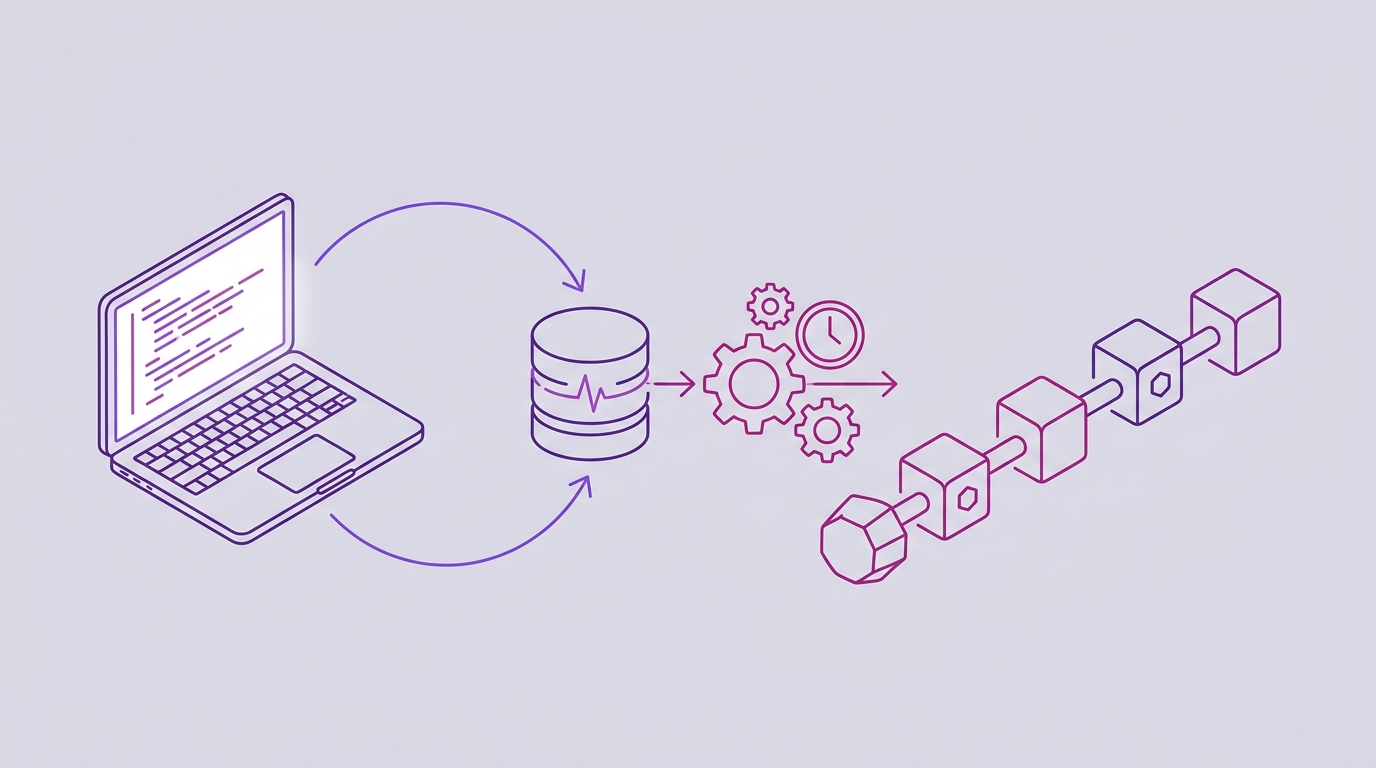
Once installed, the pipeline runs unattended:
- Commit detection. The GitHub App detects new commits via webhooks, or your GitHub Action pushes commit hashes to the API.
- Hash queue. Commit hashes land in an in-memory key-value store so they can be batched rather than anchored one at a time.
- Midnight cron worker. Each night, a worker groups all pending hashes, creates a manifest
.txtfile per repository, builds a Merkle tree, creates OpenTimestamps proofs using public OTS calendars, and anchors the Merkle root into the Bitcoin blockchain. - Proof delivery. The manifest and
.otsreceipt files are pushed back to your repository in the dedicated timestamps branch or shadow repository.
One timing detail worth planning around: confirmation in the Bitcoin blockchain takes several hours — normally around three. So proof writing completes a few hours after the cron run, not at midnight sharp. If you’re used to synchronous tooling, this is the one part of the flow that requires patience rather than action.
The batching matters for more than cost. Because each night’s hashes are grouped into a per-repo manifest and reduced to a single Merkle root, one Bitcoin anchor covers every commit in the batch, and each individual commit still has its own verifiable path back to that root.
Zero-knowledge throughout: Timestamp GIT never sees, copies, or stores your actual source code. Only the Git hash is stamped. The hash is a one-way fingerprint — it proves the exact repository state existed, without revealing what that state was.
To follow the other end of this pipeline — turning a receipt back into a verified date — see How to Independently Verify a Git Commit Timestamp.
Monitoring and Failure Handling: Keeping the Chain Intact
Automation you can’t inspect is just a black box with better marketing. Timestamp GIT exposes several ways to confirm the chain is intact.
Public status dashboard
At https://timestampgit.dev/status/{user}/{repo} you get proof longevity, the earliest anchor date, daily regularity, Bitcoin block and transaction data, and a calendar heatmap. The heatmap is the fastest way to spot a gap — a missing night stands out immediately.
Embeddable badges
Add a Shields.io verification badge to your README so anyone can see the anchor status at a glance and click through to verify it. Copy the exact snippet from the post-connection widget at /connected/{user}/{repo}, which includes a live preview:
[](https://timestampgit.dev/status/USER/REPO)
API endpoints for monitoring
For programmatic checks — a CI job, an internal dashboard, a compliance report — these public endpoints return JSON:
# Last anchored Bitcoin block
curl -s https://timestampgit.dev/api/statusLast/octo/rocket | jq

# Total committed/stamped commit count
curl -s https://timestampgit.dev/api/statusCount/octo/rocket | jq

# Combined summary (what the Shields.io badge reads)
curl -s https://timestampgit.dev/api/statusSummary/octo/rocket | jq
A minimal check that fits into any scheduler:
import requests

BASE = "https://timestampgit.dev/api"

def last_anchor(user: str, repo: str) -> dict:
    r = requests.get(f"{BASE}/statusLast/{user}/{repo}", timeout=10)
    r.raise_for_status()
    return r.json()

if __name__ == "__main__":
    print(last_anchor("octo", "rocket"))
Failure handling and audit trail
If a nightly run fails, the next run picks up the pending hashes — commits are queued, not dropped. The dashboard and the badge show the last successful anchor date, so a gap is visible rather than silent. When you need evidence on paper:
# Full audit ledger as CSV
curl -OJ https://timestampgit.dev/api/audit/octo/rocket

# PDF certificate for a specific date
curl -OJ https://timestampgit.dev/api/report/octo/rocket/2026-10-14
Private repositories are supported too. Status URLs for private repos append an encrypted HMAC specific to the server instance, so only authorized users can read the status.
Best Practices for Automated Commit Timestamping
-
Monitor every repository that contains original IP — especially the ones holding trade secrets or patentable logic. A proof chain that covers half your codebase protects half your codebase.
-
Use Enterprise ZK Mode when the hash itself is sensitive. The GitHub Action pushes only the commit hash from your infrastructure, so the service never requires read access to your source repository.
-
For air-gapped or maximum-isolation environments, self-host with Docker. The license is requested from the Docker License page; a time-limited demo license is available for evaluation.
services:
  timestampgit:
    image: rue1401/timestampgit:prod
    ports:
      - "8080:8080"
    volumes:
      - ./data:/app/data
    restart: unless-stopped
  valkey:
    image: valkey/valkey:8
    restart: unless-stopped
docker compose pull docker compose up -d docker compose logs -f timestampgitThe app is available at
http://localhost:8080after startup, and a setup wizard guides you through connecting your GitHub App on first launch. -
Verify a sample of receipts independently using standard OpenTimestamps verification tools against the Bitcoin blockchain. Independent verification is the whole point — if you never test it, you don’t know it works.
-
Back up your audit CSV and PDF certificates alongside your code. The proofs live in your repo, but the certificates are what a non-technical reviewer will actually read.
-
For plan boundaries and what private repos cost, see Code Timestamping Service Pricing for Private Repos.
FAQ
Do I need to run any CLI tools or OpenTimestamps commands? No. Timestamp GIT is a managed service: you install the GitHub App once, and every commit to a monitored repository is automatically anchored to Bitcoin each night. There are no CLI tools, no OpenTimestamps commands, and no manual steps.
What happens if Timestamp GIT goes out of business? Your proofs are vendor-independent. They rely only on SHA-256 and Bitcoin block data via the OpenTimestamps protocol, so you can verify them offline using standard OpenTimestamps verification tools — even if our company disappears.
Can I use this for private repositories? Yes. Private repositories are supported. Status URLs for private repos include an encrypted HMAC specific to the server instance, so only authorized users can view the status.
How long does it take for a commit to be anchored?
The nightly cron worker batches all pending commit hashes and anchors the Merkle root into the Bitcoin blockchain. Bitcoin confirmation typically takes around 3 hours, so the .ots proof files are written a few hours after the cron run.
Conclusion: Set It Once, Prove It Forever
Manual timestamping fails in the gap between intention and habit. Automation removes that gap entirely: install Timestamp GIT once, and every commit to a monitored repository is anchored nightly with no developer intervention, producing a continuous, immutable chain of prior-art proof.
For teams with strict security requirements, Enterprise ZK Mode pushes only the commit hash from your own infrastructure, and Docker self-hosting covers air-gapped environments — the same automated workflow, with tighter isolation.
Get started by installing the GitHub App on your repository today. Your future legal team will thank you.
Related posts
- How Freelancers Can Prove Code Ownership Before a Dispute
- What Is Cryptographic Prior Art? A Guide for Software Teams
- How to Independently Verify a Git Commit Timestamp
