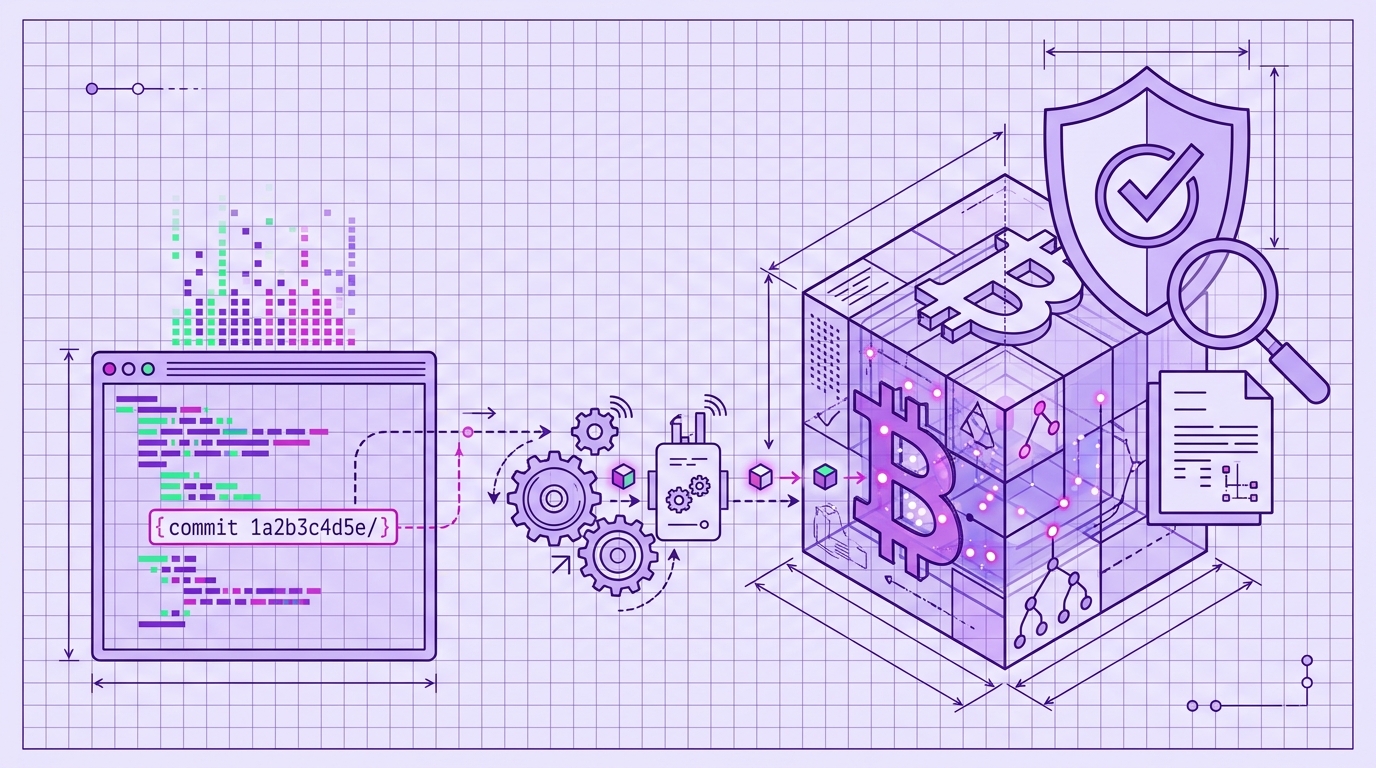
Verify Code Timestamps Without Sharing Your Source Code
Verification is the moment a cryptographic claim becomes evidence. You can timestamp every commit, but if you cannot verify that timestamp later without handing over your source, the system fails exactly when you need it most. Timestamp GIT is a managed SaaS and GitHub App that anchors Git commit hashes into the Bitcoin blockchain through the OpenTimestamps protocol. The proof is verifiable by anyone with the receipt, but the receipt never contains your code.
Why Verification Matters for Code Timestamps
A timestamp is only as good as its verification story. For prior art, you need to prove that a specific commit existed before a specific date. That proof has to work in two directions: it must be strong enough for a court or auditor, and it must be private enough that you are not exposing trade secrets just to prove they existed.
The core idea is zero-knowledge verification: prove existence without revealing content. A Git commit hash is a one-way fingerprint of the repository state. The hash by itself cannot be reversed into source code. When that hash is anchored in the Bitcoin blockchain, you get a public, immutable record that the fingerprint existed at a given time.
If you are new to the concept, read What Is Proof of Existence for Software Code?. This article focuses on the verification side: what a proof looks like, how to check it, and what the results mean.
Timestamp GIT automates the underlying protocol so you do not need to run OpenTimestamps commands or manage Bitcoin transactions manually. You install the GitHub App once, connect a repository, and every commit is batched and anchored nightly. Verification then happens through badges, public status pages, and a browser-based Merkle-chain viewer.
What a Timestamp Proof Looks Like
Each anchored day produces two main artifacts in your repository:
- A manifest file (
.txt) that lists the commit hashes included in that day’s batch. - An
.otsreceipt file that contains the OpenTimestamps proof and Bitcoin anchoring data.
These files are pushed to a dedicated timestamps branch in your repository or to a shadow repository. They contain commit hashes and anchoring data — not source code, file contents, or repository metadata beyond what is needed for the proof.
Because the .ots receipt is public and self-contained, anyone with the file can verify the anchor against the Bitcoin blockchain. The proof does not depend on a private database. Timestamp GIT provides a web verifier that performs the Merkle-chain checks locally in your browser, so you can verify without installing software and without exposing which repository you are checking.
To make verification visible, Timestamp GIT supports embeddable badges for your README. The badge links to the public status page for your repository. For private repositories, the status URL includes an encrypted HMAC so only authorized users can view the result. The badge itself can show the latest anchored Bitcoin block, total stamped commits, or a combined summary.
Step-by-Step Verification Using Timestamp GIT
The verification workflow is designed for someone who does not want to learn the underlying protocol. Here is the normal path.
Step 1: Install the Timestamp GIT GitHub App on your repository
This is a one-time setup. In Standard Mode, the GitHub App reads the HEAD commit hash from your monitored source repository. It needs read-only access to the source repository because GitHub permissions do not expose a commit-hash-only access level, and read-write access to the target repository where the proof branch will be written. In Enterprise ZK Mode, a short GitHub Action runs on your infrastructure and pushes only the commit hash to the Timestamp GIT API. In that mode, source code never leaves your environment.
Step 2: Wait for nightly anchoring
Commit hashes are detected automatically. Each night, a worker groups pending hashes, creates manifest files, builds a Merkle tree, creates OpenTimestamps proofs using public OTS calendars, and anchors the Merkle root into the Bitcoin blockchain. Bitcoin confirmation usually takes about three hours after the nightly batch, so a commit made today is normally verifiable the next day.
Step 3: Use the badge or status page
For public repositories, visit the status page at:
https://timestampgit.dev/status/{user}/{repo}
This public dashboard shows proof longevity, earliest anchor date, daily regularity, Bitcoin block and transaction data, and a calendar heatmap. It also links to downloadable audit CSV and PDF certificate reports.
You can also query the status API directly:
# Last anchored Bitcoin block info
curl -s https://timestampgit.dev/api/statusLast/acme/webapp

# Total committed/stamped commit count
curl -s https://timestampgit.dev/api/statusCount/acme/webapp

# Combined summary for Shields.io badges
curl -s https://timestampgit.dev/api/statusSummary/acme/webapp
Replace acme/webapp with your GitHub user or organization and repository name. For private repositories, the authenticated GET /api/badgeLink/{user}/{repo} endpoint returns badge URLs and Markdown snippets with an encrypted HMAC appended.
Step 4: Open the verification page for a specific day
For a detailed, step-by-step Merkle chain proof, open:
https://timestampgit.dev/verification/{user}/{repo}/{date}
This page runs the verification computation locally in your browser. It shows the multi-level Merkle chain from your commit hash up to the anchored Merkle root and the Bitcoin block. Because the computation is local, the service does not see what you are verifying.
Step 5: Download formal records
From the status page or API, you can download:
- A CSV audit ledger for the full history:
GET /api/audit/{user}/{repo} - A PDF certificate for a specific date:
GET /api/report/{user}/{repo}/{date}
These are useful for legal or compliance archives. The PDF certificate gives you a human-readable record, while the CSV gives you a complete audit trail.
If you need the underlying verification data, the endpoint GET /api/verify/{user}/{repo}/{date} returns the full Merkle chain data for local verification.
Interpreting Verification Results and Edge Cases
A successful verification means one thing: the commit hash was included in a Merkle tree whose root was anchored in a specific Bitcoin block at a specific time. Once that block is confirmed, the timestamp is immutable. No party — including Timestamp GIT — can alter or forge it.
There are a few edge cases to understand.
Pending anchors
Right after a commit, the proof does not exist yet. Timestamp GIT batches and anchors hashes nightly. Bitcoin confirmation normally takes around three hours after the nightly worker runs. During that window, the status page may show the batch as pending. Once the transaction confirms, the proof is immediately verifiable.
Private repositories
For private repos, public status and verification URLs are not openly accessible. The system appends an encrypted HMAC that is specific to the server instance. Only authorized users with the full signed URL can view the status or verification page. This keeps the repository name and commit metadata private while still allowing designated auditors to check the proof.
Independence from Timestamp GIT servers
Verification does not require Timestamp GIT to remain online. The proof relies on Bitcoin blockchain data. You can download the .ots file and use standard OpenTimestamps verification tools against the Bitcoin blockchain if you prefer the hard way. Timestamp GIT’s browser verifier is the managed version of that same check.
Lost .ots files
The .ots receipt and manifest files are stored in the dedicated timestamps branch or shadow repository. If you lose a local copy, re-download it from the branch. The proof is recoverable from the same Git location where the service originally wrote it.
Verification Without Sharing Source: The Zero-Knowledge Advantage
The biggest misconception about code timestamping is that the service must see your code to prove it existed. Timestamp GIT does not.
In Standard Mode, the GitHub App reads only the HEAD commit hash. It never reads, copies, or stores your source code. In Enterprise ZK Mode, the GitHub Action runs on your infrastructure and pushes only the hash to the Timestamp GIT API. The source repository needs no read access for Timestamp GIT in that mode. This makes Enterprise ZK Mode suitable for highly sensitive environments.
A third party — an auditor, opposing counsel, or a court — can verify a timestamp without you granting them repository access. You provide the .ots file or the signed verification URL, and they can check the proof against the Bitcoin blockchain. They see cryptographic evidence, not source code.
For the setup details behind the two deployment modes, see Automate Code Timestamping with a GitHub App.
FAQ
Can I verify a timestamp without installing anything?
Yes. Timestamp GIT provides a web-based verification page where you can use the .ots file or the public status page. All computation happens locally in your browser, so no software installation is required.
Does verification require sharing my source code?
No. Verification only uses the commit hash and the .ots receipt, which contain no source code. The zero-knowledge architecture ensures your code remains private.
How long does it take for a timestamp to be verifiable?
Timestamps are anchored nightly, and Bitcoin confirmation typically takes around 3 hours. Once confirmed, the proof is immediately verifiable.
What if I lose the .ots receipt file?
The .ots file is stored in a dedicated branch of your repository or in a shadow repository. You can re-download it from there at any time.
Conclusion
Verification is where cryptographic timestamping becomes useful. A proof you cannot check is not a proof. Timestamp GIT makes the verification path practical: install the GitHub App once, let commits be anchored nightly, and then use badges, status pages, and local browser verification to demonstrate when your code existed — without ever sharing the source.
Set up your first repository at Timestamp GIT.
Related posts
- What Is Proof of Existence for Software Code?
- How to Prove Your Code Existed Before a Patent Filing
- Timestamp Git Commits to Defend Against Patent Trolls
- Automate Code Timestamping with a GitHub App
